 PostBud
Coming soon
PostBud
Coming soon
Film your day.
Bud makes the video.
Pick the clips you filmed today. Bud picks the cut, and your phone makes one captioned video, ready for TikTok, Reels and Shorts.








- Captions on every word you say
- Dead air, filler and repeated takes: out
- Made on your phone, saved to Photos
- The moments Bud picks, in Bud's order or yours
- Your voiceover on top, if you want one
- Captions on every word you say
- The moments Bud picks, in Bud's order or yours
- Dead air, filler and repeated takes: out
- Your voiceover on top, if you want one
- Made on your phone, saved to Photos
Pick. Put it away. Build.
-
 01
01
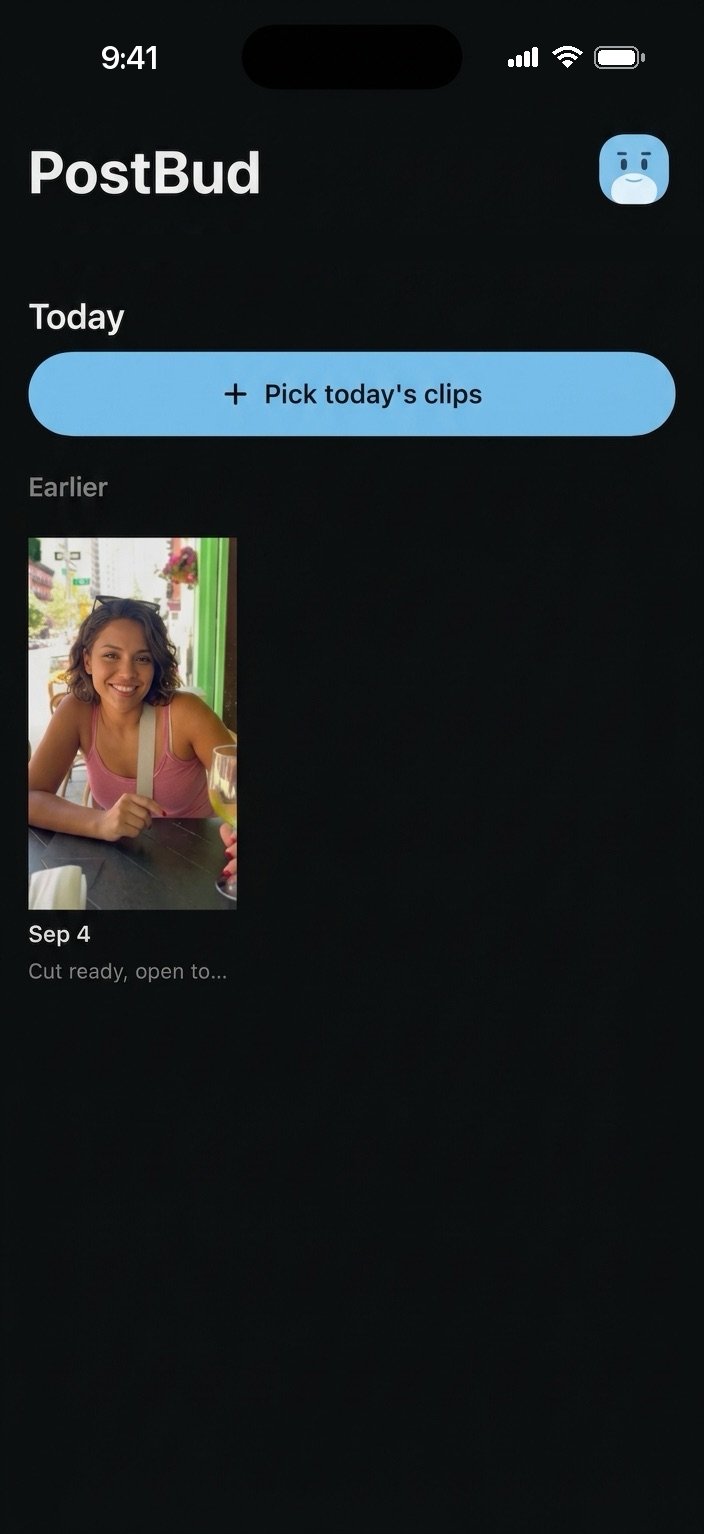
Pick today's clips
Open PostBud, tap Pick today's clips, and choose the ones you want in the video.
-
 02
02
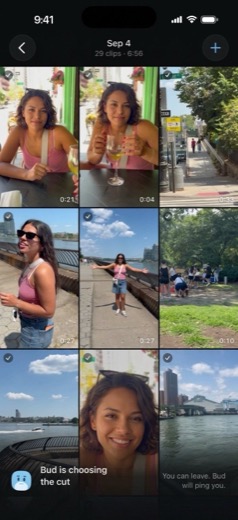
Put your phone away
Your phone preps the clips in the background while Bud picks the cut. Bud pings you when it is ready.
-
 03
03
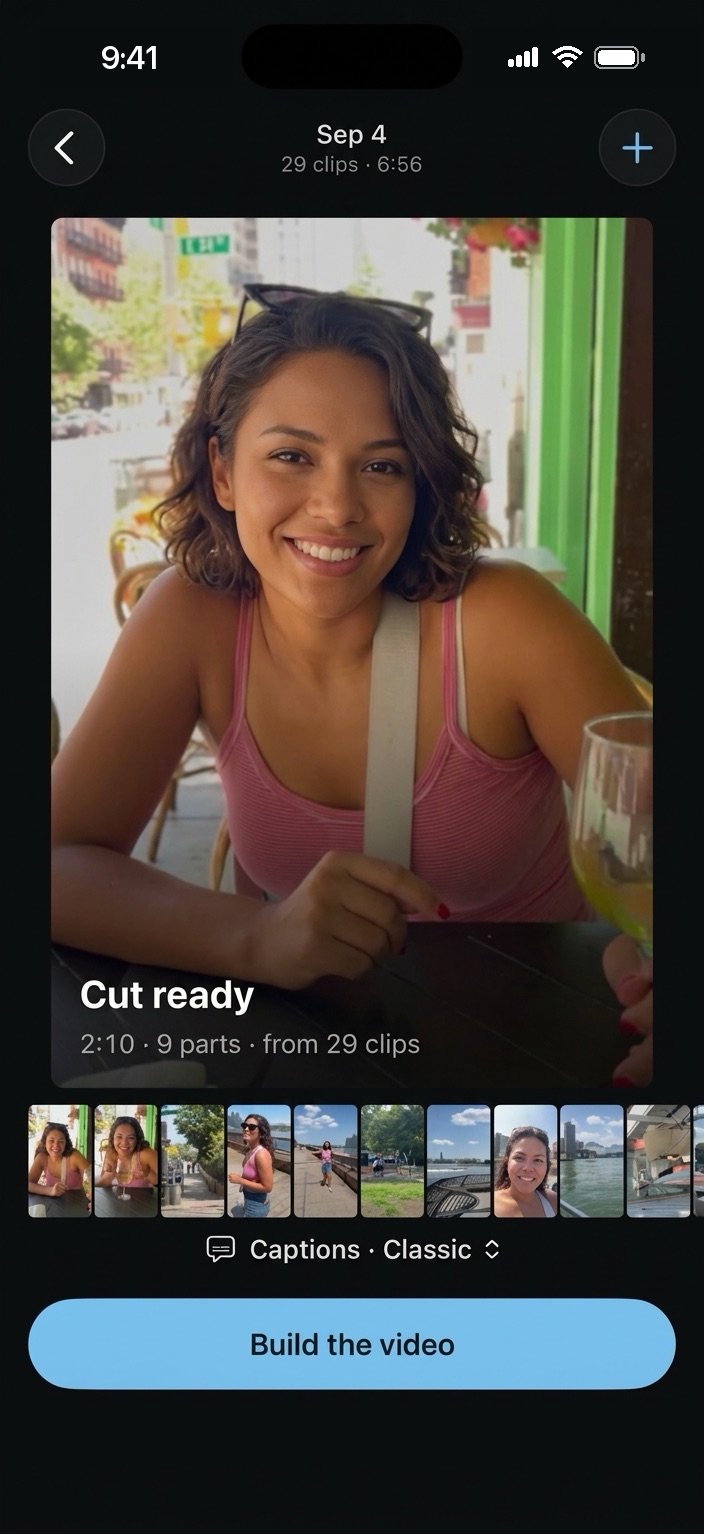
Tap Build
Your phone makes the video and saves it to Photos. Post it on TikTok, Reels or Shorts yourself.
Two ways to cut.
 Bud picks
Bud's cut
Bud picks the moments and the order. For the day you want told as a story: the trip, the show, the night out.
You set the order
My order
Your clips, in your order. Bud only takes out the pauses, the filler and the repeated takes, keeping the better one. Clips with no talking play in full. For the road trip you want told exactly how it happened.

Shout out Misheard
Captions on every word you say.
The venue music, the announcements and the people next to you stay out of it.
- Fix a misheard word
- Caption got a friend's name wrong? Tap it and fix it, in one spot or everywhere it appears.
- Two styles
- Classic or Plain white. Or turn them off.
- You stay in charge
- If a part runs long, nudge it or take it out, then build again.
- Add a voiceover
- Record yourself over the finished video, on the couch that night or on the train home.
What leaves your phone, and what doesn't.
Stays on your phone
- Your original clips. They stay in your Photos library.
- The finished video. Your phone makes it and saves it to Photos. We never receive it.
Sent so Bud can pick the cut
- A small, low-resolution preview of each clip you pick, its audio, and one still image.
- AI services use these to transcribe what you said and choose the cut.
- Delete a video and its files are removed from our servers.
The Privacy Policy lists every service and how long files are kept.
Your first 2 videos are free.
A plan counts videos, not edits. Cut it again, move the parts, fix a caption, add a voiceover: it's still one video.
- 2 videos to try
- Up to 30 minutes of clips in total
- Captions on every video
- 100 videos a month
- Up to 30 minutes of clips a day
- Captions on every video
- No PostBud end-tag
- 300 videos a month
- Up to 60 minutes of clips a day
- Captions on every video
- No PostBud end-tag
A video counts when you start its cut, not when you pick clips. Daily minutes reset at midnight where you are.
Fair use: up to 400 minutes of clips a month on Standard, 800 on Plus. Subscriptions are billed by Apple and managed in Settings. See the Terms of Use.
Good to know.
Does PostBud post for me?
No. Your phone saves the finished video to Photos, and you post it on TikTok, Reels or Shorts yourself, with whatever caption you like.
What does it run on?
iPhone and iPad.
Do my clips leave my phone?
Your originals never do. PostBud sends a small, low-resolution preview, the audio and a still image of each clip you pick so Bud can choose the cut. The Privacy Policy has the details.
What counts as a video?
A video counts when you start its cut, not when you pick clips. Cutting it again, editing the parts, fixing captions and adding a voiceover do not use another one.
Can I change what Bud picked?
Yes. Move, split or take out any part, fix a caption, add a voiceover, and build again.
When can I get it?
PostBud is coming soon to the App Store. Follow @postbud.app to hear the day it is out.

Your day is already filmed.
PostBud is coming soon to the App Store. Your first 2 videos are free.